Fix: Failed to Activate Core Devices – X11 Mac
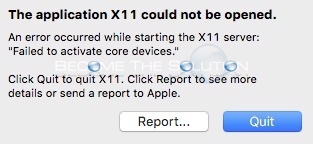
If you are trying to run a bottled Mac X application that requires X11, you may receive the following error message upon launching it. This error is most common if you are running Mac X 10.11 El Captain:
The application X11 could not be opened.
An error occurred while starting the X11 server:
“Failed to activate core devices.”
Click Quit to quit X11. Click Report to see more details or send a report to Apple.
First, ensure you have installed X11 XQuartz 2.7.8. After you install it, make sure to log out and back in for X11 to take effect on your system.
If you have Mac OS 10.11, you will need to disable System Integrity Protection (SIP) functionality within Mac X. SIP is an added security feature that locks down /System /sbin and /usr paths in Mac X. This protection affect the way X11 will work.
To disable System Integrity Protection (SIP):
Reboot your Mac holding Command + R (To enter recovery mode)
Once booted in recovery mode, open Terminal from Utilities menu
To disable SIP, type csrutil disable; reboot
Terminal will output this message upon successful completion of disabling SIP:
Successfully disabled System Integrity Protection. Please restart the machine for the change to take effect.

Once you reboot, open Terminal and verify SIP is disable. Type: csrutil status
System Integrity Protection Status: disabled.
Once you successfully disabled SIP, your Mac X11 application should open and run.