Why: Disconnecting Nearby Wi-Fi Until Tomorrow – iPhone Control Center
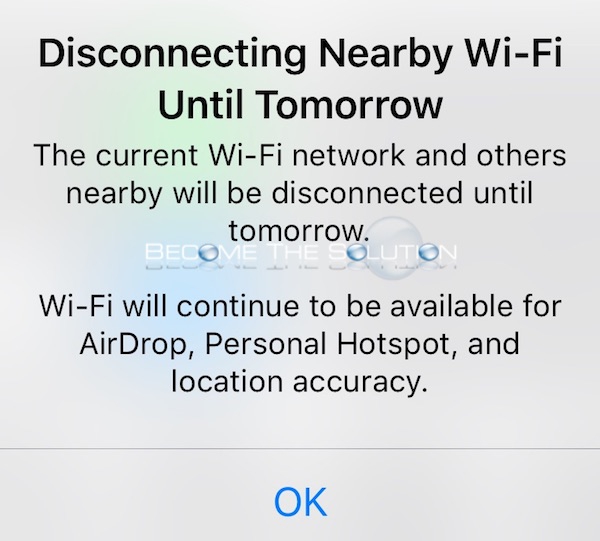
The latest iOS 11.2 now displays a notification message in Control Center when you toggle on or off Wireless. Disabling Wireless or Bluetooth in Control Center only disables these options until a condition is met mentioned below.
Disconnecting Nearby Wi-Fi Until Tomorrow
The current Wi-Fi network and others nearby will be disconnected until tomorrow.
Wi-Fi will continue to be available for AirDrop, Personal Hotspot, and location accuracy.
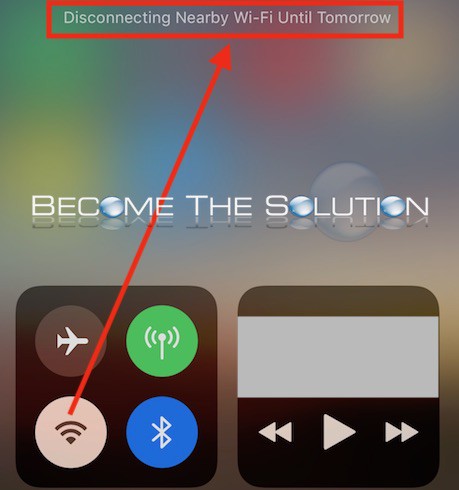

And also for Bluetooth…
Disconnecting Bluetooth Accessories Until Tomorrow
Currently connected accessories will be disconnected and other accessories will not connect.
Bluetooth will continue to be available for Apple Watch, Apple Pencil, Personal Hotspot, and Handoff.

Wi-Fi will remain disabled in Control Center until one of the following occurs:
*You re-enable Wi-Fi
*Move to a new location
*A new day 5:00am
*You reboot your iOS device
Bluetooth will remain disabled in Control Center until one of the following occurs:
*You re-enable Bluetooth
*A new day 5:00am
*You reboot your iOS device
In order to permanently disable Wi-Fi or Bluetooth, you must do so now in iOS settings.
Settings -> Wi-Fi -> Toggle Off
Settings -> Bluetooth -> Toggle Off
The new Control Center notification messages may seem confusing at first, but in reality you can still use Control Center to disable Wi-Fi or Bluetooth quickly if you still need to. If you need to disable Wi-Fi or Bluetooth permanently, do so in iOS settings.