Fix: iMessage Only Showing “chat” and Numbers Instead of Name – iOS
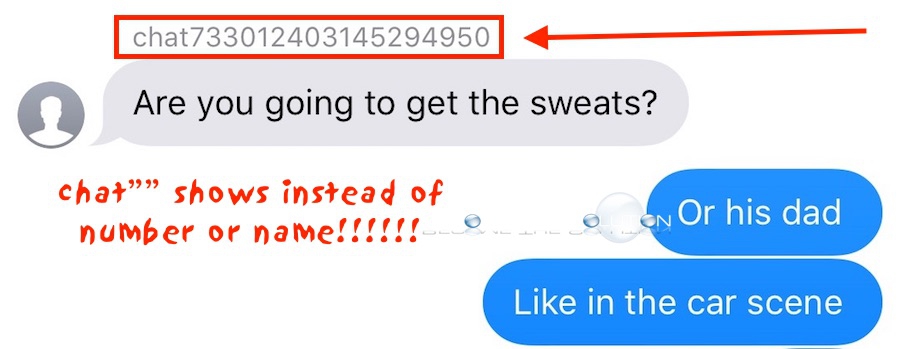
You may notice that some or all of your iPhone iMessages are only showing “chat1234567890” when viewing them, pictured above. Typically, you would see a name or number appear in this place. There are several things you can try to restore your iMessage names and numbers.
- Go to Settings -> Messages – iMessage and toggle off / on:
*iMessage
*MMS Messaging
*Group Messaging
- End iMessage (double-click home button and swipe up on iMessage).
- If all else fails, try to delete the iMessage conversation. It is possible the iMessage was somehow corrupted or the iMessage has become too long in some cases.