Fix: Your Current Security Settings do not Allow this File to be Downloaded
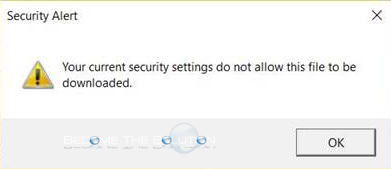
In Internet Explorer, you may receive an error that prevents you from downloading a file. You receive the following error message.
Your current security settings do not allow this file to be downloaded.
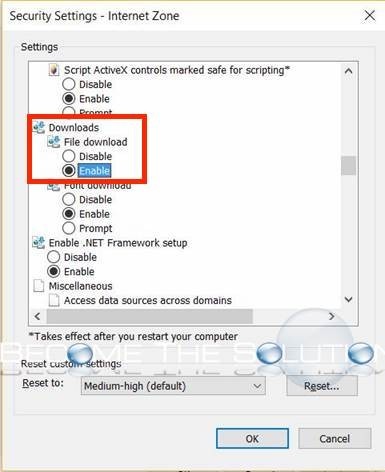
ou must enable file downloads in Internet Explorer security settings. Perform the following steps.
- In Internet Explorer, go to Internet Options -> Security -> Custom Level -> Downloads -> enable File Download (shown below)