Fix: Windows Could Not Start Apache Tomcat

You may receive the following error when trying to start or restart Apache Tomcat service in Windows.
Windows could not start the Apache Tomcat 7.0 Tomcat7 on Local Computer. For more information, review the System Even Log. If this is a non-Microsoft service, contact the service vendor, and refer to service-specific error code 1.
The error references the Windows system event log; however, the logs may not be revealing.
Solution:
1. Browse to D:\Program Files\Apache Software Foundation\Tomcat 7.0\bin (this varies depending on your Tomcat installation)
2. Open Tomcat7w.exe
3. On the Startup and Shutdown tabs, change the Mode: to use Java pictured below
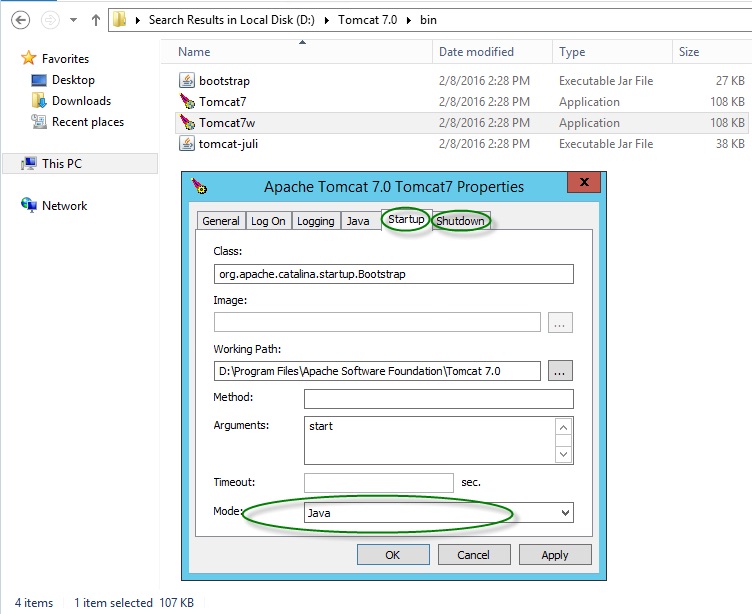
4. Start or restart the Apache Tomcat service in Windows services.