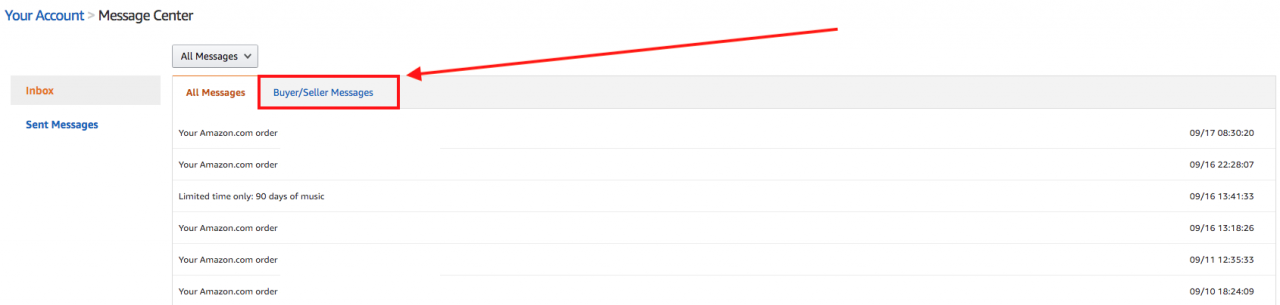
Where is the Amazon Message Center?
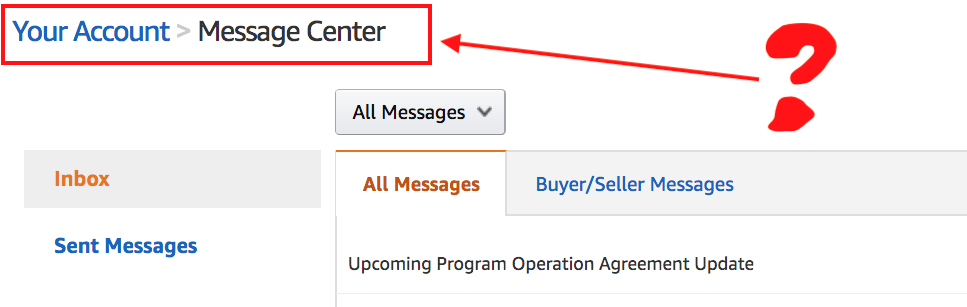
Recently, we had to return an Amazon.com order for an item that broke. We contacted the Amazon.com seller and they responded back to us an email message asking for more information about our order. We attempted to reply back to their email, which had a reply email address auto-communication [at] amazon.com, but got a message: Your e-mail(s) to XXXX (xxxxxxxx) cannot be delivered because there was a problem with the recipient's email system.
Since we could not communicate back to the Amazon seller in email, we had to find out where Amazon Message Center is located to reply back.
* If you are already logged into your Amazon.com account, use this link to access Amazon Message Center. *
How to Access Amazon Message Center
- Login to Amazon.com.
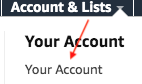
- Go to Your Account -> Your Account from the drop down menu.
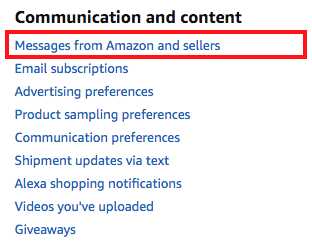
- Under Communication and content you will see Messages from Amazon and sellers – click it.
- You will now be in your Amazon Message center. To see messages from Amazon buyers and sellers, select the Buyer/Seller Messages tab.