Why: Sorry, this content isn’t available right now – Facebook
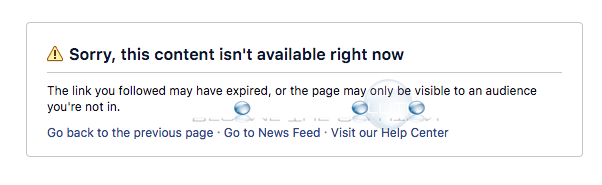
When you attempt to browse a Facebook page or profile, you may receive an error message.
Sorry, this content isn’t available right now
The link you followed may have expired, or the page may only be visible to an audience you’re not in.
Go back to the previous page Go to News Feed visit our Help Center
The following scenarios may have occurred for this Facebook message to display.
- The Facebook page or profile has been unpublished by a page administrator. See below for how to re-publish a Facebook page if you are an administrator.
- The Facebook page was merged with another (official) Facebook page.
- If the Facebook profile you selected was from a Google search link, it was likely recently hidden from “search engines” in the users Facebook settings and has not dropped out of Google index yet. You can check this option by going to Settings -> Privacy -> Do you want search engines outside of Facebook to link you your profile?
- If you clicked a Facebook post, it may only be available to that Facebook users friends.
- Facebook may be experiencing technical difficulties which may be affecting other pages or profiles. Check the Facebook forums and search for the error message to see if other users are reporting it the same time as you.
If you are the administrator of the Facebook page you are attempting to browse and receiving the message above, ensure your page is published. Select your Facebook page and go to Settings at the top -> General -> Page Visibility -> Page published.
If you continue to experiencing this error message, use comment form below to let us and others in the community know.