Reset Citrix Receiver Settings
If your Citrix connection, applications, or duplicate icons are appearing in your Windows Start Menu, you should reset your Citrix Receiver in the following manner.
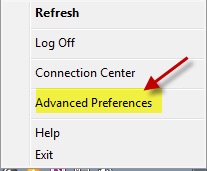
1. Right click on the Citrix Receiver icon in Windows system tray
2. Select Advanced Preferences
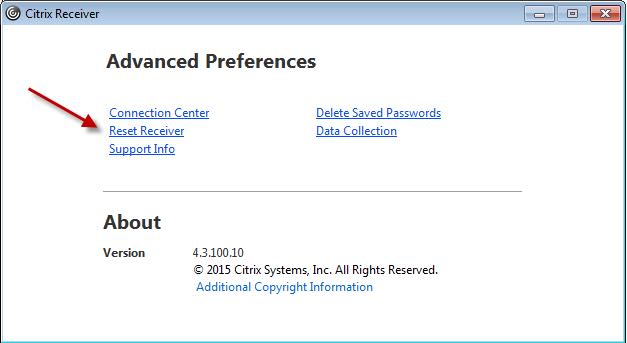
3. Choose Reset Receiver
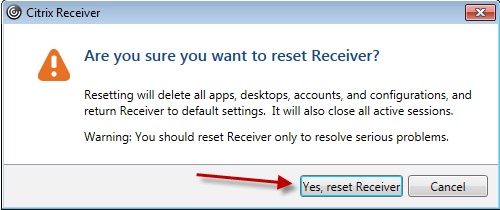
4. Select Yes, reset receiver
Now, you will see your Windows Desktop flash with icons – and you should see your applications connect again.