Fix: Powershell.exe is not a valid Win32 application
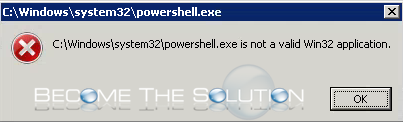
If you have a batch file or script calling the PowerShell application, you may receive an error that the PowerShell executable is no longer valid.
C:\Windows\system32\powershell.exe is not a valid Win32 application.
If you browse to C:\Windows\system32\powershell.exe, you may notice the PowerShell exe is a 0 byte file – clearly a corrupted version of PowerShell.
- Open Windows command prompt and type the following command
where powershell
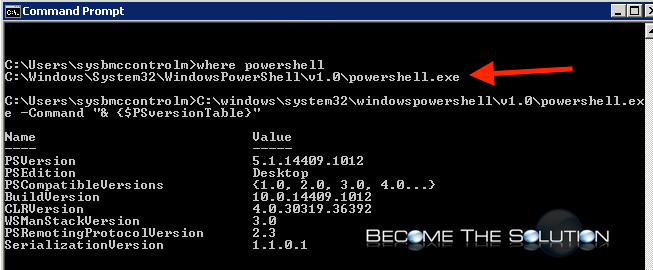
- This should reveal where PowerShell exe is located. Update your scripts or batch files as necessary with the update location.
As for what happened to the originally PowerShell exe, it may have been due to recent system patching or updating.