Fix: Panorama Can’t Change or Edit Objects All Greyed Out – Palo Alto
If you are trying to edit/change/add objects on your Panorama, you may see that everything is grayed out and you are unable to make edits. The reason for this is because the current device group view you are in does not allow you to make edits.
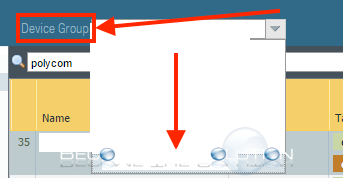
- At the top of the Panorama task bar, look for Device Group.
- Select the appropriate device group cluster.
Ensure you can make changes again on your Panorama.