Fix: Instagram You Already Have the Maximum Number of Accounts Active (Can’t Add Account)
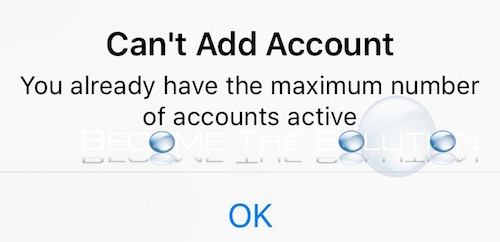
If you try to add an Instagram account to the Instagram app, you may receive a message that you already added the maximum number of accounts. This message occurs usually when you try to add a 7th Instagram account, as the app currently only supports 6 active accounts at once.
Can’t Add Account
You already have the maximum number of accounts active
The frustrating part is the Instagram app does not allow you to easily remove accounts you added (so you can login to a different Instagram account). The good news is; you can remove any of your current Instagram accounts added and logged into the app. Follow the steps below.
- Open the Instagram app. You must log out of all your Instagram accounts first. Don’t worry, you can save the login information.
- Select one of your Instagram accounts. Tap the gear icon at the top of your profile screen.
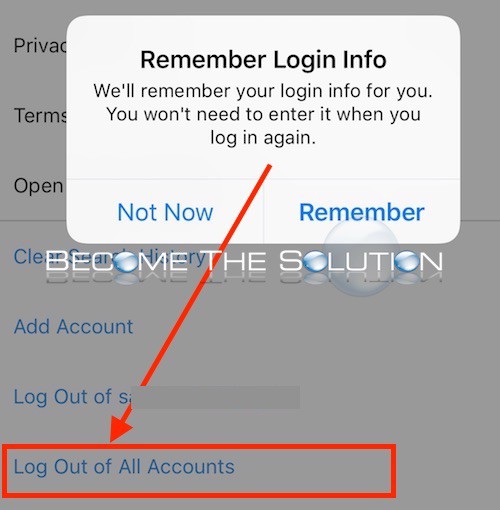
- Scroll all the way to the bottom and Log Out of All Accounts. (You can toggle remember login for each account)
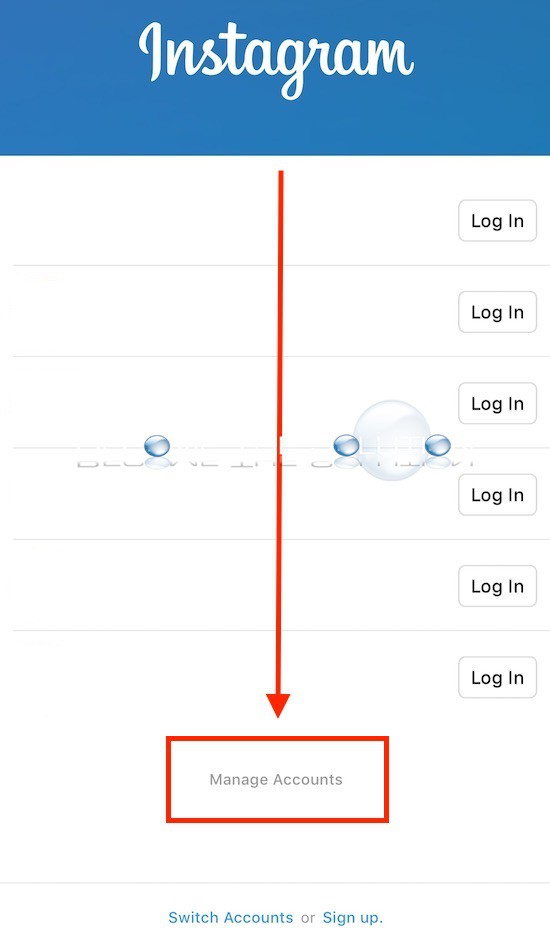
- You will be at the Instagram app login page with your last logged in accounts. At the bottom, select Manage Accounts. This reveals an “X” next to each account so you can remove it from the app.
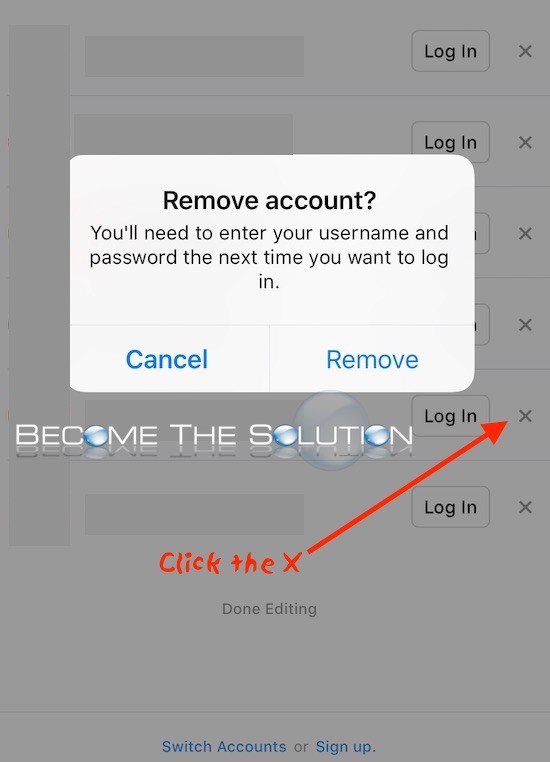
- Select Instagram account(s) to remove. You will see a confirmation message.
- Finally, select Switch Accounts at the bottom to login to a new Instagram account.

In summary, in order to remove the maximum 6 Instagram accounts, you added to the Instagram app, you must first log out of them all to reveal the Instagram app login screen. This screen allows you to manage the accounts and remove them.