Fix: Excel – Not Enough System Resources to Display Completely
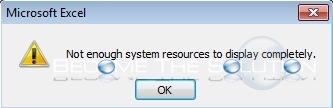
While in a Microsoft Excel spreadsheet, you may get prompted with the following error message.
Not enough system resources to display completely.
Solution:
A simple fix is to change the Excel zoom level to be exactly equal in both tabs of your workbook. You can try setting them to be all at 100% zoom.