Fix: ERR_TOO_MANY_REDIRECTS – Google Chrome

When you click a link that opens in Google Chrome, you may receive an error message about too many redirects.
This page isn’t working
“” redirected you too many times.
Try clearing your cookies.
ERR_TOO_MANY_REDIRECTS
Reload
This error happens when the link you click redirects you to another website and back to the same website – causing a loop effect. Sometimes, clearing Google Cookie Cache fixes this, however it is usually a problem with the link itself.
This error is commonly seen with unsubscribe from email links.
Clear Google Chrome Cookies Cache
- Go to Chrome -> Clear Browsing Data
- Ensure you are clearing items from the beginning of time. Select Cookies and other site data.
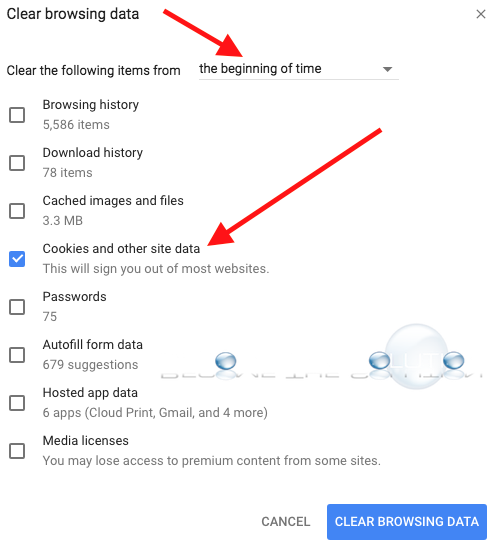
- Quit and re-open Google Chrome.
- Finally, try to access the link in Google Chrome and see if it works for you.