If the icons in your Windows Taskbar appear with boxes but no application icons show inside of them, you should rebuild the Windows icon cache.
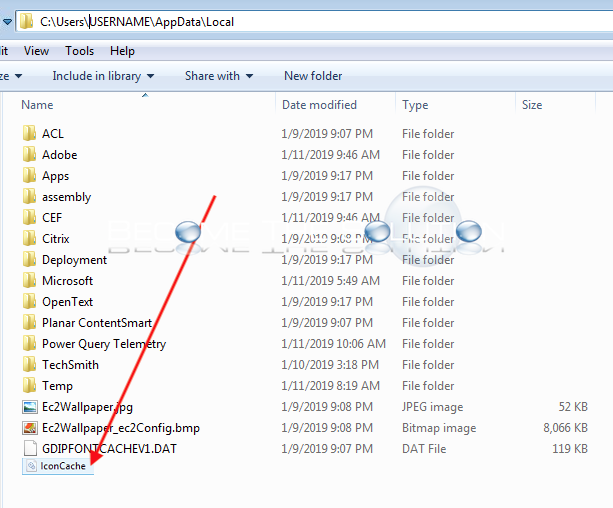
- Go to the following path and delete the IconCache.db file and reboot your Windows machine.
C:\Users\USERNAME\AppData\Local