How To: AWS Role History More Than 5 Saved
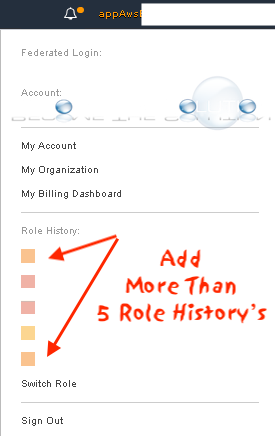
By default, the Amazon Web Services (AWS) management console only remembers a maximum of 5 role history’s. If you are wanting to save more than 5 AWS accounts or roles in your AWS console history, try the following options.
Option 1: AWS Extend Switch Roles for Google Chrome - Download
Extend your AWS IAM switching roles. You can set the configuration like AWS config format
Switch roll history does not remain only 5 maximum on the AWS Management Console. This extension extends to show more switch roles by loading your AWS configuration. The bottom of the console header is emphasized with your specified color if you assume a cross account role.
Option 2: Save Each AWS Role as a Bookmark
- Create a bookmark for each role in the following format below for your web browser. Replace the numbers and names as necessary.
https://signin.aws.amazon.com/switchrole?account=123456789012&roleName=MY_ROLE_NAME&displayName=MY_DISPLAYNAME
*123456789012 is the AWS account number
*roleName is the IAM role you are assigning to the account
*displayName is the name you want to appear in the AWS Management console drop down