Why: Amazon Checkout Reward Points Not Showing Up?
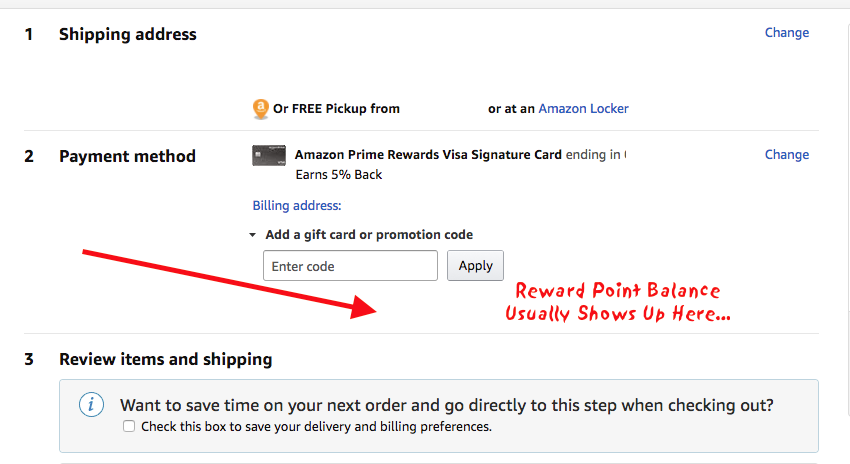
If you are checking out on Amazon and have a rewards signature credit card, you may not be able to see your signature card points to be able to use to make your Amazon purchase with. Your reward point balance is typically shown below the payment method on Amazon check out, pictured below.
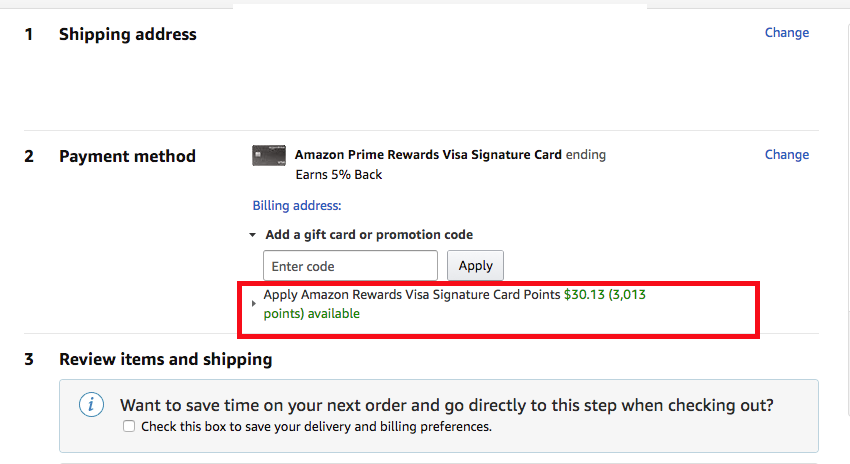
If it is likely your bank has not provided Amazon information about your reward balance and or your closing statement for your card has not been updated with an available point balance. Check with your bank (Chase Online) to see if you have a reward balance available. If not, verify the next closing date on your credit card statement, which is typically when new reward points are accrued.
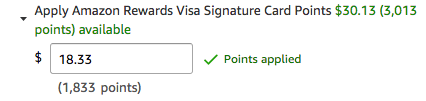
When you do see your reward points, you will see these screens.
Please refresh to see your rewards balance

Apply Amazon Rewards Visa Signature Card Points
Learn more about your Amazon Rewards Card and Points here.
Let us know if you are unable to see your reward balance and if you did anything differently to get it to appear.